Have you ever felt that annoying eye strain after staring at your computer monitor for a while? I definitely have! It’s a common problem, and it can really impact your productivity and comfort. I used to think it was just me, but after some research and experimentation, I've found some simple solutions that have made a huge difference. Let me share my journey and what I learned.
It started subtly. I noticed my eyes feeling tired and dry after a few hours of working on my computer. At first, I ignored it, thinking it was just a normal part of using screens. But it got worse. Headaches started creeping in, and my vision sometimes felt blurry. I was starting to dread sitting down at my desk. I was even starting to wonder if the blue light from my monitor was to blame. I noticed that my phone screen didn't seem to cause the same problems, and I was determined to figure out why.
One of the first things I realized was that my monitor brightness was way too high. I had it cranked up to 100%, thinking it would make things clearer. Big mistake! A friend suggested turning it down, and honestly, it was a game-changer. I started experimenting with lower brightness levels, and I found that around 50-60% was much more comfortable for my eyes. It took a little getting used to at first, but my eyes thanked me for it. It was such a simple fix, but it made a world of difference. Reducing screen brightness can really alleviate eye strain.
Next, I started playing around with the color settings on my monitor. I discovered that using a warmer color profile was much easier on my eyes. The default "cool" setting felt harsh and straining. Switching to a warmer profile gave the screen a more natural, less intense look. I also experimented with Windows' built-in night mode, which adds a yellow tint to the screen. It felt a bit strange at first, but I quickly got used to it, and it really helped reduce eye strain, especially in the evenings. This is like adjusting the warm temp setting on a TV, and now I can't live without it.
I also considered the pixel density of my monitor. I realized that a low-resolution screen can contribute to eye strain because your eyes have to work harder to focus on the individual pixels. At work, I was using a sub-1080p screen in a dimly lit location, and my eyes were constantly strained. At home, with a 1440p screen in a properly lit room, I had no such issues. Upgrading to a higher resolution monitor might be a worthwhile investment if you spend a lot of time in front of a screen. I also learned about the importance of a matte screen to reduce glare.
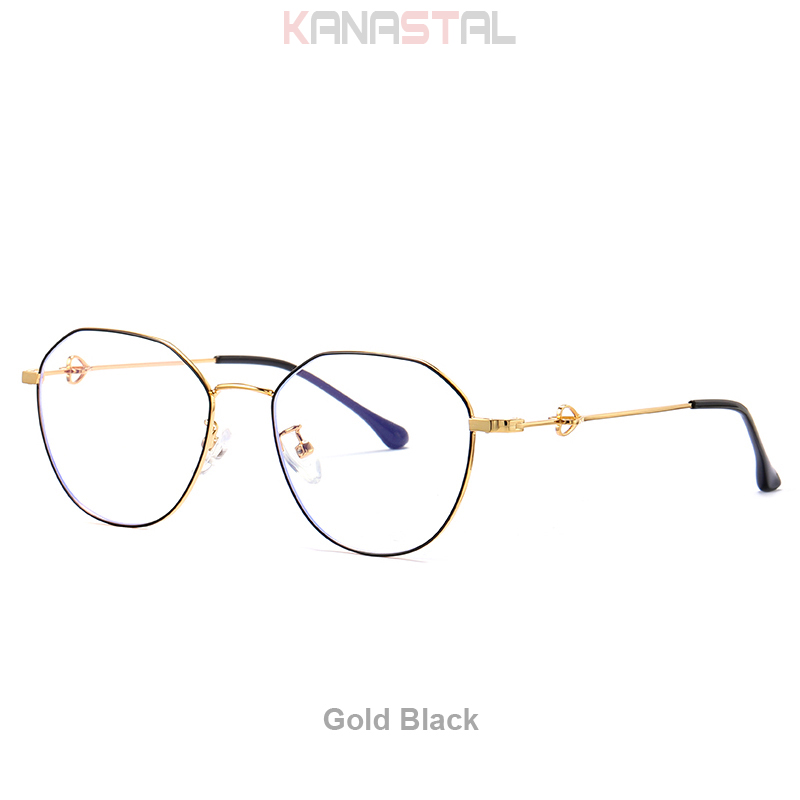
I also wanted to address the blue light issue. I had heard a lot about blue light blocking glasses, and I was curious to see if they would make a difference. I decided to try a pair from Mozaer Official. I found a pair online that I really liked, the Women Reading Glasses Blue Light Blocking CR39 Lens Prescription Presbyopic Myopia Men Eyewear Metal Love Shaped Legs Eyeglasses from Mozaer.
I was drawn to the design and the promise of blue light blocking. These glasses have CR39 lenses, which are supposed to filter out harmful blue light. I was a little skeptical at first, but I decided to give them a try. After wearing them for a few days, I noticed a definite improvement. My eyes felt less strained, especially during long work sessions. It was a subtle difference, but it was enough to make me a believer. The metal frame is also really stylish.
I find the frames of the Mozaer blue light blocking glasses to be very comfortable and they don't feel heavy on my face even after wearing them for hours.
Besides brightness, color profiles, and blue light, there are a few other factors that can contribute to eye strain: